Official arcade accounts made the need for timely notifications clearer. A management screen can display fault reports, but staff still need to keep reopening it to discover new ones. Inquiry replies and configuration guidance create similar demands.
Adding push to the report screen alone would leave inquiries, DMs and announcements repeating recipient checks and device registration later. The current Preview instead uses a shared system that stores account notifications and delivers them to consenting devices when appropriate. The needs of official accounts explain why these features benefit from common infrastructure.
Notification types and the account inbox
The inbox is an account-level list of things the service needs to bring to a person’s attention. Operators need new reports, report authors need reactions and inquiry authors need replies. Personal messages and announcements have their own audiences. These events differ, but can share storage and acknowledgement mechanisms.
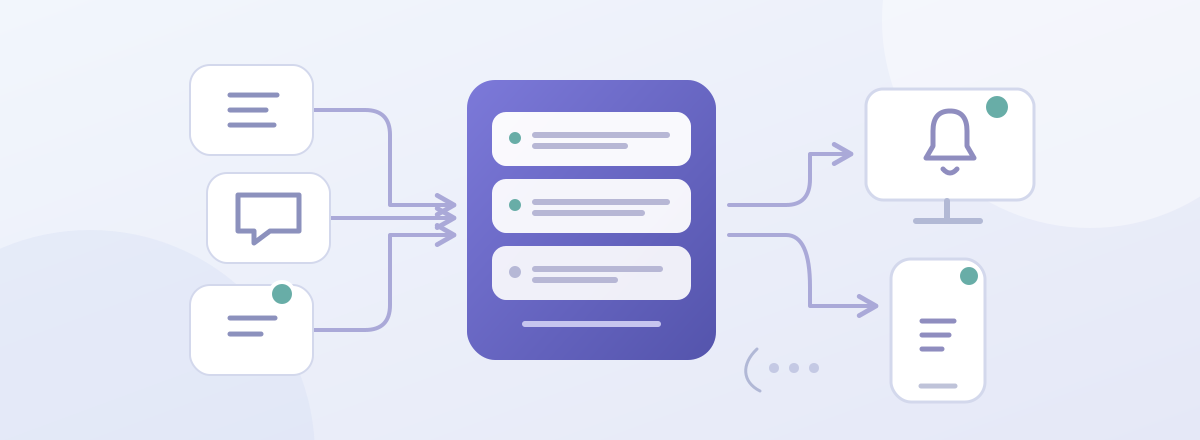
Current integrations cover official-account setup guidance, reports and reactions, inquiry creation and replies, personal messages and shared inquiries, and published update stories. Legacy inquiry notifications remain readable. The table and diagram describe that coverage. Automatic notification of a published Markdown blog post is not implemented; it still needs a publication event and recipient policy.
Recipients and current access
Before creating a notification, the server determines whom the event should reach. For example, an ordinary arcade inquiry should alert its current representatives without calling every platform employee who could inspect it. Platform staff are additionally called through an explicit Musecat-team mention. Authors do not receive their own message notification.
Account state, roles, arcade ownership, conversation access and event-specific recipient rules determine eligibility. A registered device with suitable preferences can receive a queued push; an account notification can remain available without one. Changing a push setting does not change permission to read an inquiry.
Reading existing notifications also checks current access to the source report, inquiry or conversation. Former recipients do not retain access simply because they received a notification before their role changed. Queued pushes require a later check for the same reason.
Saving notifications and processing the outbox
A slow external push service should not hold up a report submission. For example, if the report saves but sending fails, the system needs a way to retry delivery without undoing the report. An outbox records the work to send before performing the external request.
Account notifications use user_notification, devices use user_notification_device and per-device delivery work uses user_notification_delivery. Report and message operations commit their source data, notifications and eligible deliveries together in a transaction. A separate worker sends only after the commit, keeping external delays out of the source write.
The account and event_key identify a notification, while notification and device identify a delivery. These combinations prevent duplicate work when an event is processed again. References to source reports, messages and publications support subsequent authorization and navigation.
Large announcements are distributed in recipient batches after publication state is saved. Each batch commits its cursor, account notifications and device deliveries together. Retrying an interrupted batch therefore need not reset read state or treat the same publication as a new event.
Opening notifications and configuring push
The inbox remains available without browser push. Device failures, account read state and delivery to other devices are managed independently. Polling and messaging signals refresh the list, merging new results with previously loaded history by notification ID. Current source access determines both visible entries and unread counts.
Selecting an item first saves its read state, then opens the conversation or source screen. The destination checks access again. Read failures offer an error and retry instead of navigating without a confirmed acknowledgement.
Push permission is requested only through an explicit enable action. Opening the inbox does not request it. A browser endpoint belongs to the current account so switching accounts cannot leave its subscription owned by the previous one.
Device registration includes language. A language change updates only an existing, consenting registration for the current account; it neither creates a device nor enables push. Announcements target devices in published languages. Private inquiries and DMs use generic arrival text to avoid exposing their contents on a lock screen.
Delivery rechecks and retries
A report may be resolved or responsibility may change while a push waits. Devices can be removed and announcements archived. Backend Full rechecks source state, recipient access and messaging rules, device ownership and settings immediately before sending. Invalid work finishes without an external request.
Temporary failures record attempt counts and the next execution time, using exponential delay for up to five attempts. Provider responses of 404 or 410 remove the expired account device and associated pending deliveries. Delivery can recover without changing the saved report or message.
Provider acceptance does not prove that the operating system displayed the notification. A worker interrupted after sending but before recording completion may send again; a push tag derived from the notification ID helps collapse repeated displays. Inquiries and announcements use this foundation with those limits. Adding blog notifications still requires real publication wiring, event identifiers and recipient rules.
Related articles and sources: the evolution of the API boundary